
A todo app, from one sentence to running, in under nine minutes
Demos of “describe it and we build it” usually stop at a screenshot. This one does not. We created a new project, typed one sentence, and let it run. Nothing was prepared in advance, and the times below are the real ones from that run.
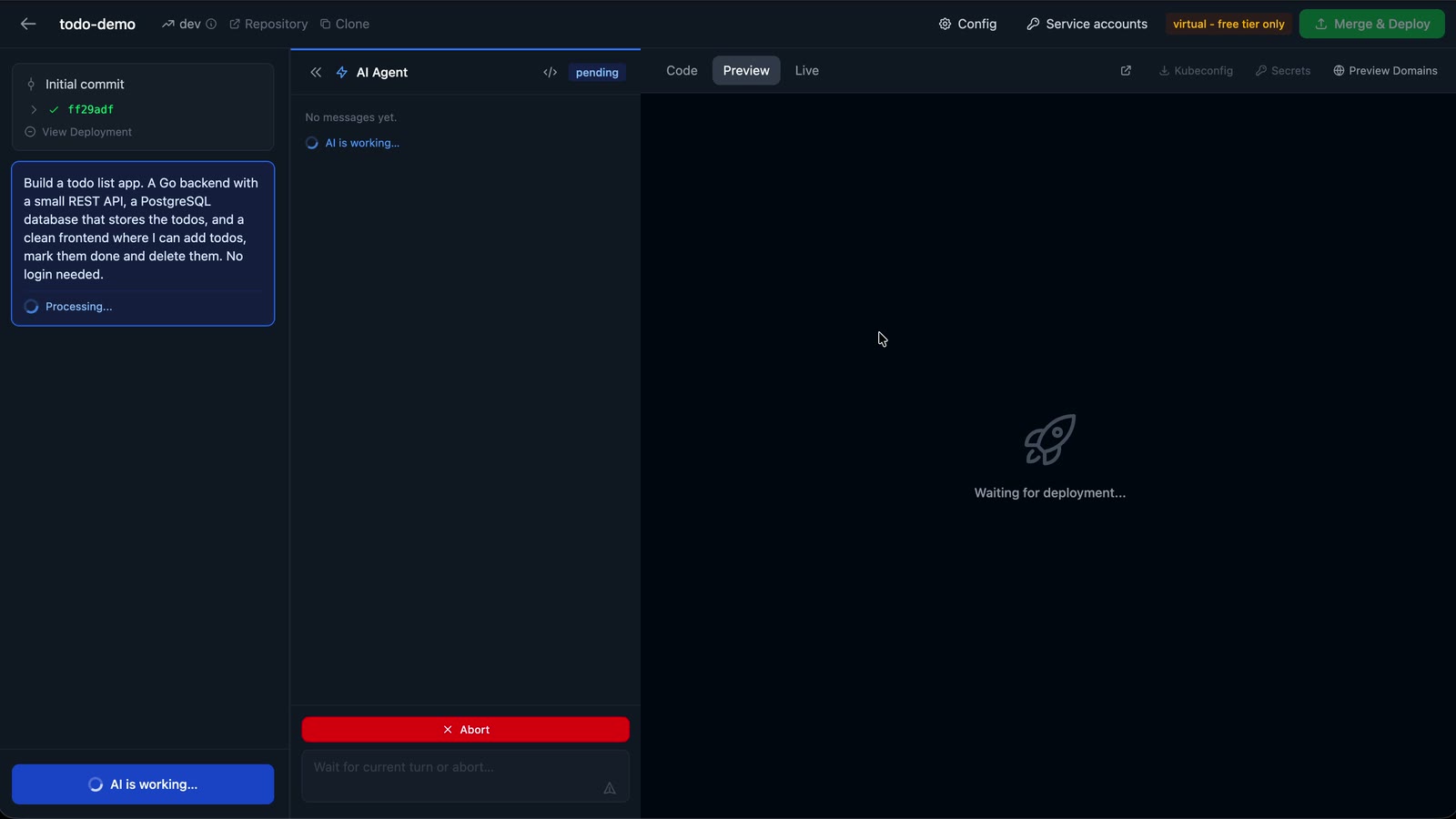
This is what we typed:
Build a todo list app. A Go backend with a small REST API, a PostgreSQL database that stores the todos, and a clean frontend where I can add todos, mark them done and delete them. No login needed.
Watch the whole run in 73 seconds, with the waiting parts sped up sixteen times.
Minute 0: one sentence
A new project starts with New Project and Create for me, which makes a fresh repository in your GitHub organisation and opens the editor. The sentence goes into the chat on the left.
Minutes 0 to 4: the assistant writes and builds
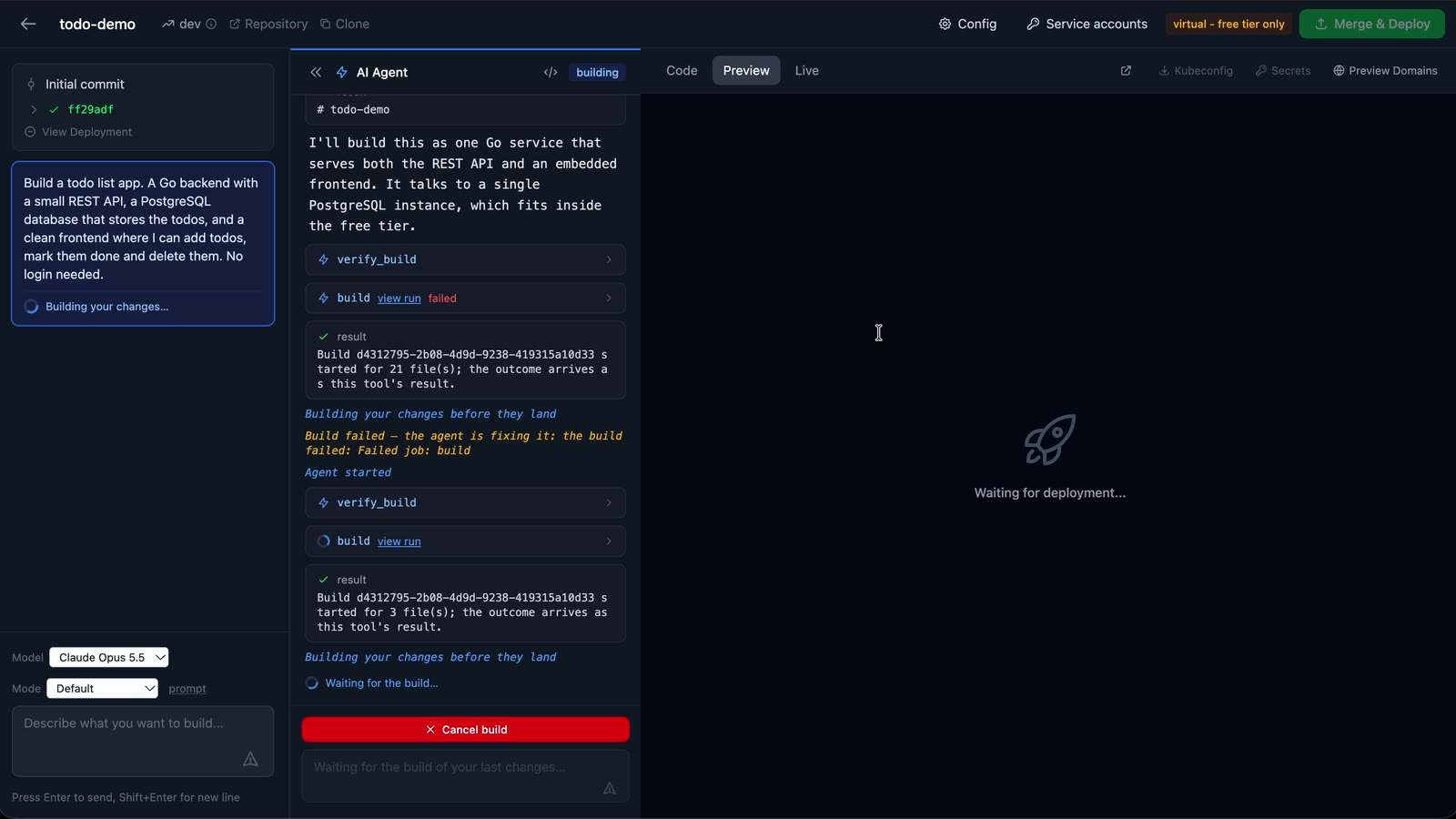
The assistant started with its plan in one line: “one Go service that serves both the REST API and an embedded frontend. It talks to a single PostgreSQL instance, which fits inside the free tier.” Then it wrote 21 files: the Go server and its tests, a small HTML, CSS and JavaScript frontend, a Dockerfile, a GitHub Actions workflow and the Kubernetes manifests.
Nothing the assistant writes goes straight into your repository. It is built first, on a branch of its own. The first build failed: the manifests listed a file at a path where the assistant had not put it, and the manifest check refused to continue. The assistant read the error, moved the file, and built again.
The second build was green. Before merging, the assistant looked at what the
build itself had added to the branch (go.mod and go.sum, the Go module
files, which belong in the repository) and then merged the change into dev.
Four and a half minutes after the prompt, the code was in the repository.
Minutes 4 to 8: the deployment
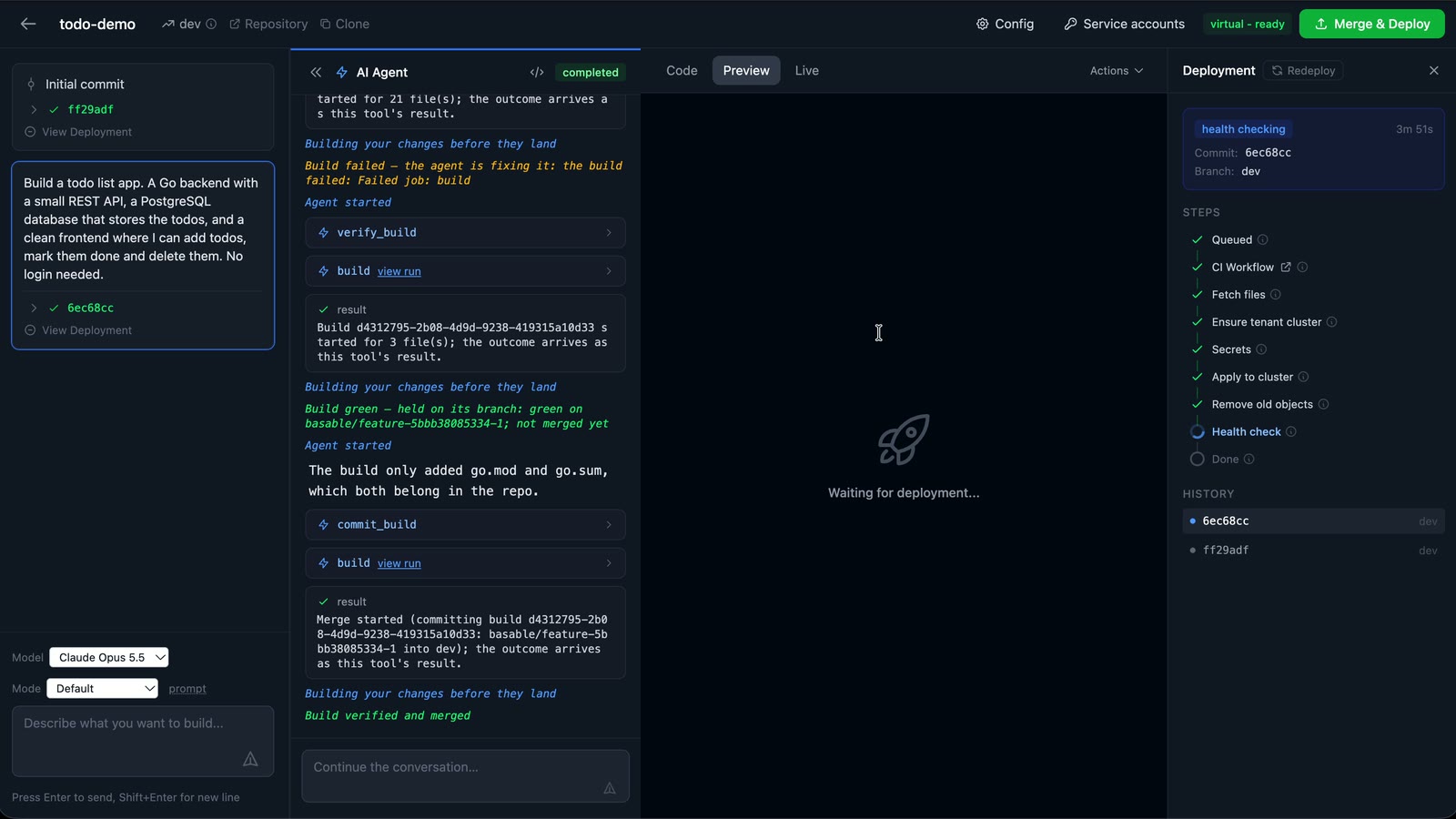
A push to dev deploys the preview. The project’s own GitHub Actions workflow
built the container image, and Basable did the rest, step by step in the
editor’s deployment drawer: it created the preview environment’s own cluster,
checked that the app needs no secrets, applied the manifests and waited until
the app answered its health check. That took 4 minutes and 11 seconds, most of
it spent creating the cluster, which only happens on the first deployment.
The app
About eight and a half minutes after the sentence, the preview pane showed the app. Add a todo, tick it off, delete it. Reload the page and everything is still there, because it lives in Postgres and not in the browser.
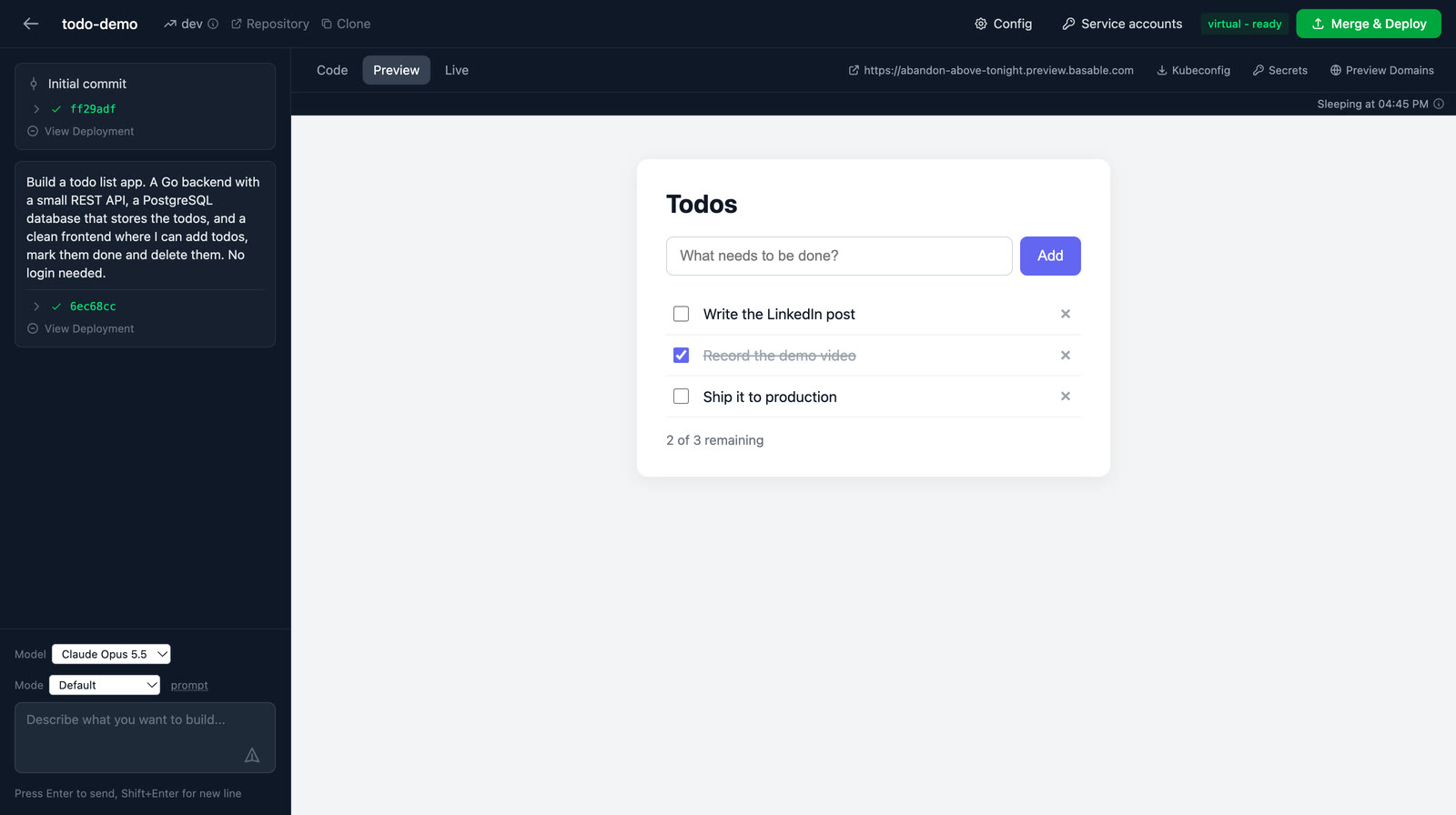
We have since taken it live, and it is still running: abandon-above-tonight.live.basable.com. The live environment has its own cluster and its own database, so it started empty. There is no login, so anything you add there, every visitor sees.
Under the hood
Every environment runs in a Kubernetes cluster of its own, a virtual cluster
with its own API server, and you can look inside it. The Kubeconfig button
in the editor downloads the credentials; point kubectl, k9s or any other tool
at them.
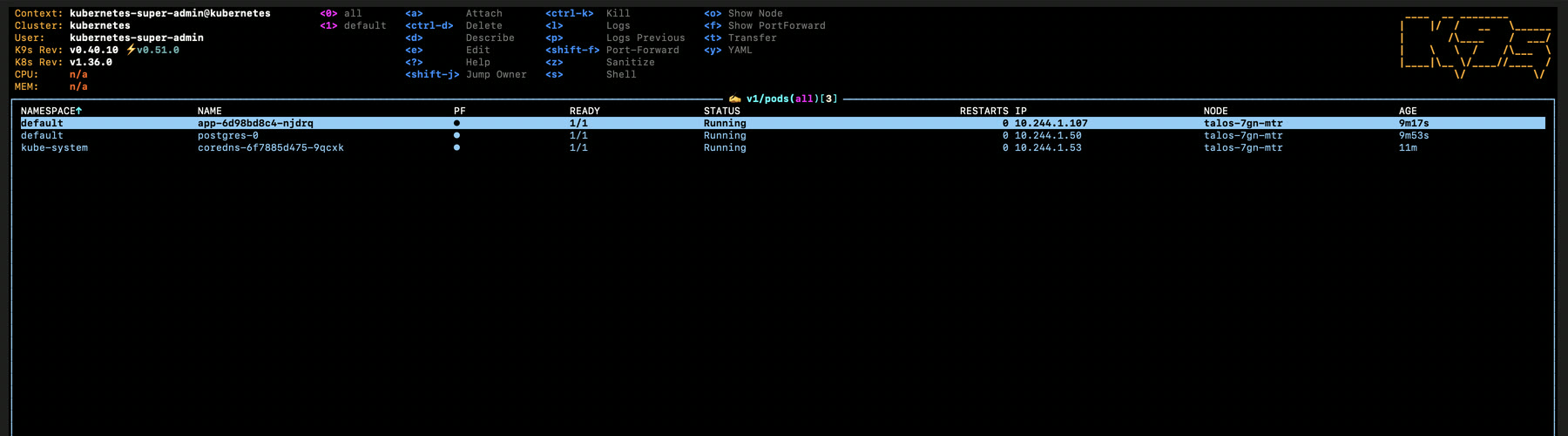
Three pods: the app, Postgres, and the cluster’s own DNS. The choices the assistant made are the ones you would want to review anyway:
- The image is built on a distroless base and runs as a non-root user, which the platform requires of everything it runs.
- Postgres keeps its data on a volume of its own, so it survives the next deployment.
- A network policy lets only the app reach the database.
- Everything fits within the free allowance every new organisation gets.
The code is yours
The repository is public:
github.com/basable/todo-demo. It is
ordinary code: a Dockerfile, a workflow and a k8s/ folder. Clone it, change it
by hand and push, or keep asking the assistant for changes. Either way, every
push to dev deploys the preview again, and Merge & Deploy takes it live.
Try it
Pick something smaller than you think you should, describe it in a sentence, and watch what comes back. Get started with just your email address.